





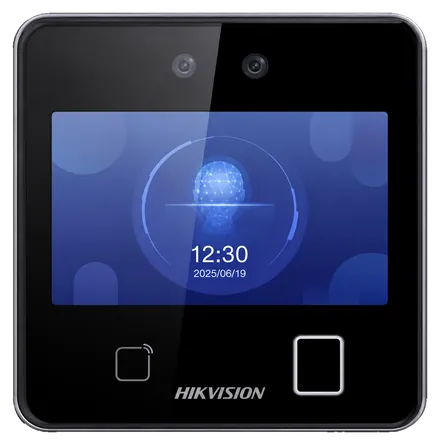
Hikvision
DS-K1T642MFW
- Face
- Fingerprint
- Card
- 6,000 faces
- 5,000 fingerprints
- 4.3" touch screen
Time & attendance · Morocco
EASY-STAFF connects your biometric time clocks and your teams' phones to a single online platform. Attendance, lateness, leave, shifts and overtime are consolidated for every employee, across all your sites. At month end, that already-checked data is a reliable basis for your payroll.
Hardware
Face recognition, fingerprint or badge: we help you choose the right terminal for your headcount and environment, then install it and connect it to the platform.
Hikvision
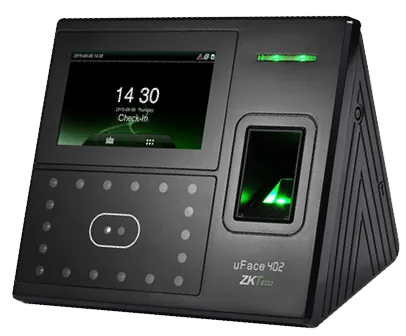
ZKTeco
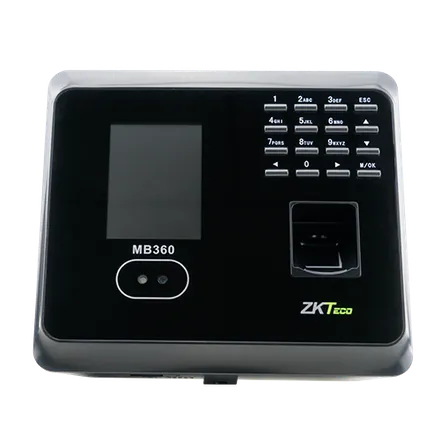
ZKTeco
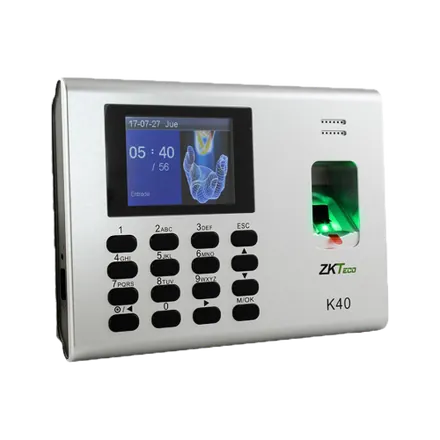
ZKTeco
Collecting punches
A head office with terminals, guards at client sites, a team that forgets to badge out: every punch lands in the same place and goes through the same checks, whatever its source.
Fingerprint, face or badge on a ZKTeco or Hikvision terminal, the reference method on a fixed site.
Employees clock in themselves from their space; their GPS position is attached when you require it.
A scanner at a manager's desk reads the employee's code where there is no terminal.
A forgotten punch is added one by one or in bulk, by authorised people only, and stays flagged as such.
To bring in a history or punches recorded elsewhere, in one go.
Why an online platform
The software bundled with a time clock helps you get started. It quickly reaches its limits when headcount grows or a second site opens. These limits vary by version, but the same ones often come back.
Before
Installed on one workstation, it keeps the data on that PC and stops when the PC does.

With EASY-STAFF
All your sites feed the same database, open to managers, employees and payroll.

The software
Each module answers a specific day-to-day HR question and feeds the others. Start with attendance tracking, then switch on the rest at your own pace.
Hours worked, lateness and time beyond the shift.
Requests, approvals, balances and supporting documents.
Working hours, rotating teams and night shifts.
Normal hours and overtime ready for payroll.
Clock in from the phone, GPS position attached.
Each employee's punches, leave, shifts and payslips.
All your locations in a single platform.
ZKTeco and Hikvision terminals, installed and connected.
Payroll preparation
EASY-STAFF is not payroll software. But because punches, lateness, leave, absences and shifts are tracked in one place all month long, the month-end figures add up: for each employee, it gathers what your payroll software or accounting firm needs to take over.
Details on the payroll preparation page.

Roll-out
Time and attendance software is only as good as its set-up. We do it with you, from needs analysis to go-live.
Headcount, sites, working hours, existing time clocks: we start from your reality, not from a template.
Terminals mounted, connected to the platform, and employees enrolled (fingerprint, face or badge).
Working hours, departments, sites, access rights, leave rules: everything is configured the way you work.
Your managers are trained, then supported during the first months of use.
Industries
Factories running shifts, security guards at client sites, shops with changing hours, moving construction sites: time tracking adapts to your business.
Across Morocco
The platform is used online; time clock installation and team training are arranged on request anywhere in the country.
Your city is not listed? See all cities or write to us.
It is the tool that turns the in and out punches recorded by your time clocks (or from phones) into usable information: hours worked, lateness, absences, overtime and leave balances, for every employee.
The platform works with ZKTeco and Hikvision terminals. We first check that your models are compatible: if they are, they are kept and connected to the platform. Importing their history is assessed case by case.
No. EASY-STAFF is an online platform: managers open it in their browser, employees on their phone or a computer. Only the time clocks are installed on your sites.
No, it is the foundation of your payroll. It prepares normal hours, overtime by rate, leave and absences for the period; salaries are calculated by your payroll software or accounting firm. A payroll module is in development and coming soon.
Yes: from the phone with the GPS position attached, with a barcode scanner, entered by an authorised manager, or by Excel import. See mobile clock-in.
The price depends on your headcount, number of sites and the time clocks to install. We send a quote after discussing your organisation: book a demo.
A demo built on your working hours, your sites and your time clocks: the simplest way to check that EASY-STAFF fits you.